

By Kunal Dawar
This document will help you troubleshoot your configuration if you get unexpected responses from your API. We recommend that you log in to follow this quickstart with examples configured for your account.go-jwt-middleware Troubleshooting
If you configured JWT validation correctly, you will be able to get proper responses from your API when you make requests. However, if you get a 401 (Unauthorized) response from your API, it is because the configuration of your JWT middleware does not match the JWT that was passed.How Does a Token Get Validated?
Token Validation Steps
Token Validation Steps
The middleware validates tokens through these steps:
1
Structure Validation
The token must conform to the JWT structure. Learn more about JWT structure.
2
Signature Verification
The signature verifies that the token was signed by the sender and not altered. The middleware uses a JWKS caching provider to fetch and validate against Auth0’s public keys.
3
Expiration Check
Tokens are only valid for a specified time (expressed in the
exp claim). You can configure clock skew via validator.WithAllowedClockSkew().4
Issuer Validation
Signature Verification: The JWKS provider automatically fetches and caches the correct keysIssuer Value: The
iss claim must match exactly (including trailing slash)5
Audience Validation
The
aud claim must match your API identifier exactly.Inspecting a Token
Use JWT.io to quickly inspect and debug JWTs.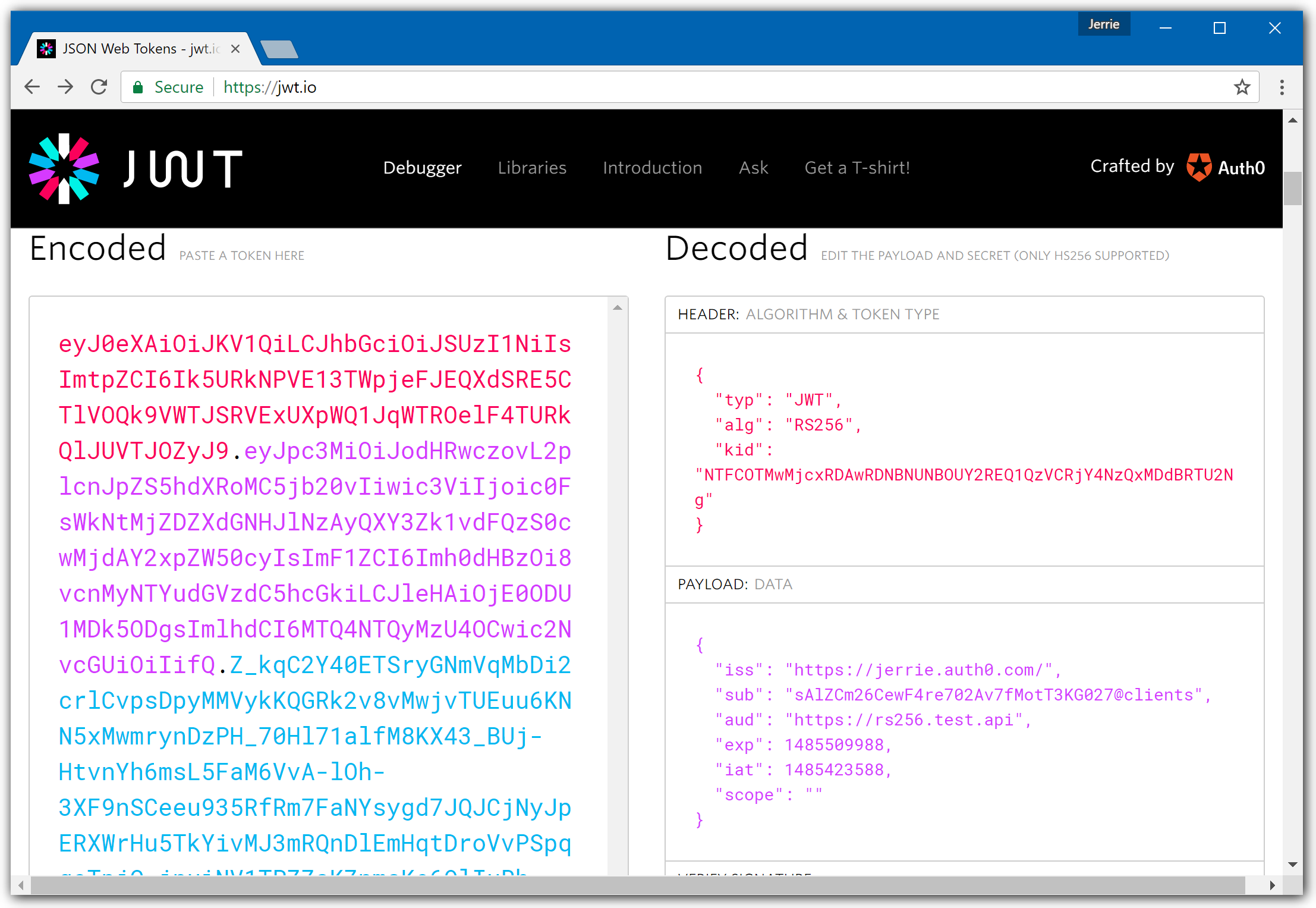
Configuration Must Match Exactly
Your validator configuration must match these values precisely:Common Troubleshooting Scenarios
1. Invalid Audience Error
Error Message:aud claim in the token.
Solution:
- Verify
AUTH0_AUDIENCEexactly matches your API Identifier in the Auth0 Dashboard - Audience should NOT have a trailing slash
- Check that the token was requested with the correct
audienceparameter
2. JWKS Endpoint Unreachable
Error Message:- Verify network connectivity to Auth0 (check firewall/proxy settings)
- Test JWKS endpoint manually:
- Ensure correct Auth0 region (us/eu/au)
- Check if corporate proxy requires configuration
3. Wrong Import Path
Error Message:4. Claims Extraction Fails
Error Message:GetClaims[T]().
Solution:
Ensure you’re using the correct type parameter:
5. Algorithm Mismatch
Error Message:- Auth0 uses RS256 by default (asymmetric)
- Ensure validator specifies
validator.RS256 - Never use
validator.HS256for Auth0 tokens (unless specifically configured)
6. Clock Skew Issues
Error Message:7. Go Version Incompatibility
Error Message:- Upgrade to Go 1.24 or later
- Verify version:
go version - Update
go.mod:go 1.24
Error Responses
The middleware returns RFC 6750 compliant error responses with structured JSON:WWW-Authenticate header also provides standard error information:
Debugging Tips
Enable Structured Logging
Enable Structured Logging
The middleware includes built-in logging support:This will log validation events, making debugging easier.
Verify Configuration at Startup
Verify Configuration at Startup
Add logging to verify your configuration on startup:
Test with Auth0 Dashboard Token
Test with Auth0 Dashboard Token
Use the Test tab in your API settings to generate a test token, then verify it works with your API.
Check Token Claims
Check Token Claims
Decode your token at JWT.io and verify:
issmatches your issuer (with trailing slash)audcontains your API identifierexpis in the futurealgis RS256
Getting Help
If you’re still experiencing issues after following this guide:go-jwt-middleware Repository
Check the official SDK documentation and examples
GitHub Issues
Search for similar issues or report a new one
Auth0 Community Forum
Ask questions and get help from the community
Auth0 Support
Contact Auth0 support for enterprise assistance